<!DOCTYPE HTML PUBLIC "-//IETF//DTD HTML//EN">
<html>

<head>
<meta http-equiv="Content-Type"
content="text/html; charset=iso-8859-1">
<meta name="GENERATOR" content="Microsoft FrontPage 2.0">
<title>See Also</title>
</head>

<body bgcolor="#FFFFFF">

<table border="0" width="100%">
    <tr>
        <td><font size="6"><strong>See Also</strong></font></td>
        <td align="right"><a href="output.html"><img
        src="image/previous.gif" alt="Previous" border="0"
        width="40" height="40"></a><a href="index.html"><img
        src="image/next.gif" alt="Next" border="0" width="40"
        height="40"></a></td>
    </tr>
</table>

<hr size="1">

<h2>Bibliographical References</h2>

<table border="0" cellpadding="5">
    <tr>
        <td valign="top"><img src="image/book/empty.gif"
        align="top" border="1" width="80" height="100"></td>
        <td valign="top"><a
        href="http://www.artima.com/forums/flat.jsp?forum=123&thread=6794"><em><strong>Design
        by Contract and Unit Testing</strong></em></a>, by Jim
        Weirich, 2000.<br>
        This question/answer article explains that although unit
        tests and Design by Contract assertions have a lot of
        overlap, each has a different focus and different strong
        points. DbC preconditions are useful for checking
        inter-module correctness. Unit testing and DbC
        postconditions validate individual module behavior, with
        unit testing focusing on specific situations and DbC
        postconditions focusing on general behavior. </td>
    </tr>
    <tr>
        <td valign="top"><img src="image/book/xp.gif"
        align="top" border="1" width="80" height="100"></td>
        <td valign="top"><a
        href="https://www.amazon.com/Extreme-Programming-Explained-Embrace-Change/dp/0321278658"><em><strong>eXtreme
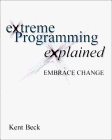
        Programming eXplained</strong></em></a>, by K. Beck. Addison-Wesley, 2000.
        ISBN 0-201-61641-6.<br>
        The author demonstrates how eXtreme Programming (XP)
        relies on simplicity, unit testing, programming in pairs,
        communal ownership of code and customer input on software
        to motivate code improvement during the development
        process.</td>
    </tr>
</table>

<h2>Related Resources</h2>

<p>The <a href="http://efsa.sourceforge.net/archive/index.htm">Eiffel Archive</a>
contains many links to Eiffel libraries sorted by category.

<p><a href="http://efsa.sourceforge.net/archive/weirich/etest.htm"
name="eiffelunit"><em>EiffelUnit</em></a> is a regression test
framework for Eiffel modeled after the <em>JUnit</em> framework
designed by Kent Beck and Eric Gamma. <em>EiffelUnit</em> makes
it easy to write small unit tests for Eiffel classes with
automatic validation. Unfortunately <em>EiffelUnit</em> currently
only works with <a href="http://SmartEiffel.loria.fr/">SmartEiffel</a>.
<em>EiffelUnit</em> has been developed by Jim Weirich and is
distributed under the <a
href="http://opensource.org/licenses/ver2_eiffel.php">Eiffel
Forum Freeware License</a>.</p>

<p><em>EiffelTest</em>
is a library for testing classes and systems in a thorough and
organized way. However <em>EiffelTest</em> currently only works
with <a href="http://www.eiffel.com/">ISE Eiffel</a>. <em>EiffelTest</em>
has been developed by Patrick Schönbach.</p>

<p><a href="http://efsa.sourceforge.net/archive/beale/test.htm"><em>Simple
Test Framework</em></a> is based on the IEEE Standard for
Software Test Documentation, IEEE 829-1983. It works with <a
href="http://www.eiffel.com/">ISE Eiffel</a>. <em>Simple Test
Framework</em> has been developed by Thomas Beale.</p>

<p><a href="http://www.cse.yorku.ca/~sel/espec/index.htm">ES-Test</a>
is a unit-testing framework for Eiffel. Its advantage compared to
<em>getest</em> is that it has a graphical interface. Its
disadvantage is that users have to manually &quot;register&quot;
routines (under the form of agents) that they want to be executed
for the tests whereas <em>getest</em> automatically generates
code to make the life of the users easier (and also to be sure
that users do not forget any tests). Another disadvantage of <em>ETest</em>
is that it currently only works with <a
href="http://www.eiffel.com/">ISE Eiffel</a>. <em>ETest</em> has
been developed by Jonathan Ostroff.</p>

<h2>Acknowledgements</h2>

<p><em>Getest</em> has been written after reverse-engineering <a
href="#eiffelunit"><em>EiffelUnit</em></a> from Jim Weirich. A
tool to help testing the <em>Gobo Eiffel </em>tools and libraries
was needed and <em>EiffelUnit</em> met most of the requirements.
However its main drawback is that it only works with SmartEiffel,
whereas the <em>Gobo Eiffel </em>tools and libraries need to be
tested with all supported Eiffel compilers. It was hence decided
to develop the <em>getest</em> tool and its associated <em>Gobo
Eiffel Test Library</em>.</p>

<hr size="1">

<table border="0" width="100%">
    <tr>
        <td><address>
            <font size="2"><b>Copyright © 2001-2016</b></font><font
            size="1"><b>, </b></font><font size="2"><strong>Eric
            Bezault</strong></font><strong> </strong><font
            size="2"><br>
            <strong>mailto:</strong></font><a
            href="mailto:ericb@gobosoft.com"><font size="2">ericb@gobosoft.com</font></a><font
            size="2"><br>
            <strong>http:</strong></font><a
            href="http://www.gobosoft.com"><font size="2">//www.gobosoft.com</font></a><font
            size="2"><br>
            <strong>Last Updated:</strong> 28 December 2016</font><br>
            <!--webbot bot="PurpleText"
            preview="
$Date$
$Revision$"
            -->
        </address>
        </td>
        <td align="right" valign="top"><a
        href="http://www.gobosoft.com"><img
        src="image/home.gif" alt="Home" border="0" width="40"
        height="40"></a><a href="index.html"><img
        src="image/toc.gif" alt="Toc" border="0" width="40"
        height="40"></a><a href="output.html"><img
        src="image/previous.gif" alt="Previous" border="0"
        width="40" height="40"></a><a href="index.html"><img
        src="image/next.gif" alt="Next" border="0" width="40"
        height="40"></a></td>
    </tr>
</table>
</body>
</html>